Free LinkedIn profile checker and ATS score
LinkedIn's recruiter search ranks profiles by keywords, just like an ATS. Paste your About section to see your score, missing keywords, and exact fixes. Free, instant, no signup.
Go to your LinkedIn profile → Skills section → copy and paste all skills here. Scored separately (+20 pts).
0 words
Why LinkedIn profile optimisation matters
Headline
shows next to your name in LinkedIn search results
Keywords
are how recruiter searches find your profile
About
is where a recruiter reads your story in your own words
Results
with real numbers are easier to trust than duties
Does LinkedIn use ATS to filter profiles?
LinkedIn isn't technically an ATS, but its recruiter search engine functions exactly like one. When a recruiter filters for "Senior React Developer in Bangalore with 5+ years," LinkedIn ranks matching profiles by keyword relevance, completeness, and recency. Profiles missing the target keywords simply don't appear, no matter how qualified you are.
Recruiter search = ATS filter
LinkedIn Recruiter filters by job title, skills, location, and keywords. If your About section doesn't include the exact terms recruiters search for, you're invisible.
Keywords Beat Connections
Recruiters find candidates by searching keywords. Using the words from roles you want, in your own sentences, helps the right searches surface your profile.
About + skills + headline all indexed
LinkedIn indexes your headline, About section, Experience descriptions, and Skills separately. Each section needs its own keyword strategy, your headline especially.
How the LinkedIn optimiser works
Three steps. Two minutes. One clearer profile strategy.
Paste your About section
Copy your LinkedIn About text and optionally add your headline and target job role for role-specific keyword matching.
Get your ATS keyword score
See your 0–100 score across four dimensions: profile length, keyword match, quantified achievements, and action verb strength.
Apply the top fixes
Act on the specific improvements, add missing keywords, quantify achievements, and start sentences with stronger verbs.
Five ways to make a LinkedIn profile parse
Use plain job titles in your headline
Recruiters search by title, so lead with the title you actually hold, in the words people use for it. If you are moving into a new role, say you are open to it, for example 'Open to Product Manager roles', rather than claiming the title.
Front-load keywords in your About section
LinkedIn shows only the first 3 lines before the "See more" click. Put your most important keywords, such as job title, key skills, years of experience, in the first two sentences.
Add all relevant skills to your Skills section
LinkedIn lets you add 50 skills. Fill them. Recruiters filter by skills, and your Skills section gets indexed separately from your About section. Each skill is an additional keyword.
A LinkedIn about section, before and after
An illustrative About section for a software engineer. The facts in it are invented for the example.
Before
"I am a software developer with experience in web development. I have worked on various projects and am passionate about coding. I enjoy working in teams and am always looking to learn new things. Currently looking for new opportunities."
No action verbs
No numbers
No role-specific keywords
39 words, none of them specific
After
"Senior Software Engineer with 6 years building scalable Node.js and React applications. Led migration of 3 legacy monoliths to microservices, reducing infrastructure costs by 42%. Delivered features used by 500K+ monthly users at Razorpay. Skilled in AWS, Docker, and CI/CD pipelines."
Action verbs: Led, Delivered
Numbers: 6 years, 42%, 500K+ users
Role keywords: Node.js, React, AWS, Docker
41 words, every one specific
Questions
Frequently asked questions
Everything you need to know about LinkedIn profile optimization and recruiter search.
Start from the resume
The screen that rewrites your headline and About
Paste your About section and the role you are aiming at. A model rewrites the two parts a recruiter reads first, and you copy them straight into LinkedIn.
Rewrite my profile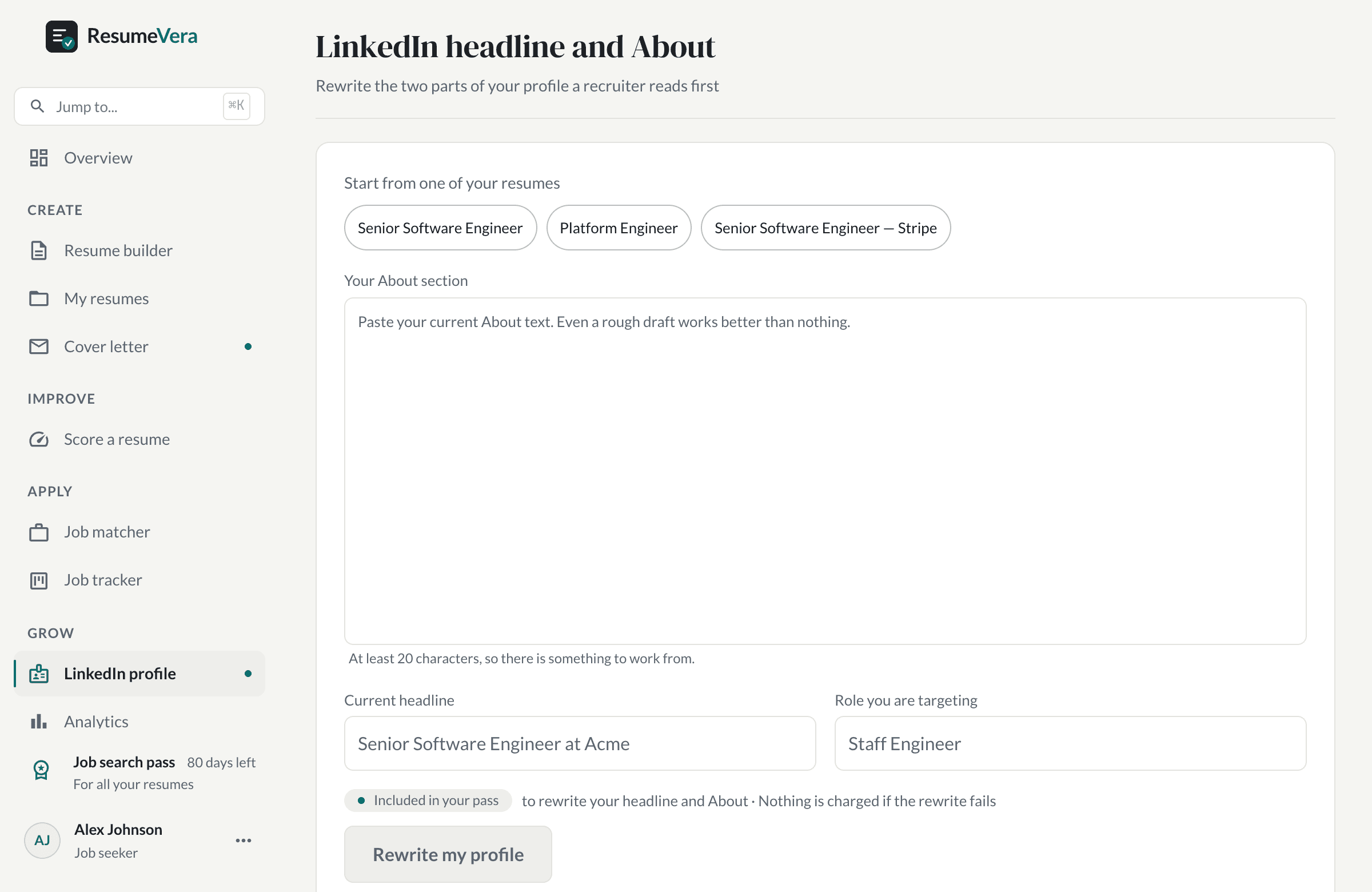
The real screen. It rewrites the headline and About from what you paste, and nothing else.
Also check your resume ATS score
Your LinkedIn profile and resume both need ATS optimization. Check your resume score free, no signup, results in seconds.