Best Resume Format for US Jobs in 2026: The Complete Guide to Layouts, Sections, and ATS-Friendly Formatting
The resume format you choose determines whether your application gets read or gets filtered out. In the US job market, where most Fortune 500 companies use applicant tracking systems and recruiters spend an average of six to ten seconds on an initial resume scan, format is not decoration. It is infrastructure.
This guide covers the three main resume formats used in the US, explains which one works best for most candidates in 2026, provides the correct section order, and walks through every formatting decision that affects ATS parsing and recruiter readability.

Quick answer: what is the best resume format for US jobs in 2026?
The reverse-chronological resume format is the best resume format for US jobs in 2026. It lists your work experience from most recent to oldest, is preferred by the majority of US recruiters, and parses most accurately through applicant tracking systems. A 2025 survey of over 1,000 HR professionals found that 82.1% say the ideal resume is one to two pages, and the reverse-chronological layout is the structure most hiring managers expect to see.
If you have a non-linear career path or are changing industries, the combination (hybrid) format is a strong alternative. The purely functional format, which removes employment dates and reorganizes experience by skill category, is the least recommended because it raises red flags with recruiters and often causes ATS parsing errors.
The three resume formats explained
Every US resume follows one of three structural patterns. The difference is how work experience, skills, and qualifications are organized and weighted.
1. Reverse-chronological format
The reverse-chronological format is the standard in US hiring. It leads with your most recent role and works backward. Each position includes the company name, job title, employment dates, and bullet points describing responsibilities and achievements.
Structure:
- Contact information
- Professional summary or objective
- Work experience (most recent first)
- Skills
- Education
- Optional sections (certifications, projects, volunteer work)
Best for: Candidates with a steady work history in a consistent field, anyone applying to traditional corporate roles, and most mid-career professionals.
Why it works: Recruiters can immediately see your trajectory. ATS systems parse dates, titles, and company names cleanly. According to Resume Polished's 2026 recruiter analysis, reverse-chronological is the format most recruiters expect because it answers their core question immediately: what have you been doing, and where?
2. Functional (skills-based) format
The functional format groups your experience by skill category rather than by employer. It typically includes a skills summary with supporting examples, followed by a brief employment history section that lists only job titles, companies, and dates without detail.
Structure:
- Contact information
- Professional summary
- Skills sections (grouped by category with supporting examples)
- Work history (minimal: title, company, dates only)
- Education
Best for: Career changers with limited directly relevant experience, candidates re-entering the workforce after a long gap, and recent graduates with significant project or volunteer work but minimal employment history.
The problem: Most US recruiters view functional resumes with suspicion. When dates and detailed job descriptions are missing, hiring managers assume you are hiding something, whether that is employment gaps, job hopping, or lack of relevant experience. ATS systems also struggle with functional formats because the skills are disconnected from specific employers and dates, making it harder to parse and rank accurately.
3. Combination (hybrid) format
The combination format merges elements of both. It leads with a skills summary or core competencies section, then follows with a reverse-chronological work experience section that includes full detail. This format has gained traction in 2026, particularly among mid-level professionals upgrading careers or candidates with strong skills from diverse roles.
Structure:
- Contact information
- Professional summary
- Core skills or competencies section
- Work experience (reverse-chronological with full detail)
- Education
- Optional sections
Best for: Career changers who still have relevant work history, professionals with strong skills from multiple roles, and anyone targeting roles where a specific skill set matters as much as job history.
Comparison table: chronological vs. functional vs. combination
| Feature | Reverse-Chronological | Functional | Combination (Hybrid) |
|---|---|---|---|
| Experience order | Most recent to oldest | Grouped by skill category | Skills section first, then chronological work history |
| ATS compatibility | Excellent | Poor | Good to excellent |
| Recruiter preference | Strongly preferred | Often raises red flags | Well received when done correctly |
| Best career stage | All levels with consistent history | Career changers, long gaps, new graduates | Mid-career, career changers with some relevant history |
| Shows career progression | Yes, clearly | No | Yes, after skills section |
| Handles employment gaps | Gaps are visible | Gaps are hidden (but recruiters notice) | Gaps visible but de-emphasized by leading skills |
| Keyword parsing | Keywords tied to specific roles and dates | Keywords disconnected from employers | Keywords appear in both skills and role context |
| Recommended for US jobs | Yes, for most candidates | Rarely recommended | Yes, for specific situations |
The correct section order for a US resume in 2026
The optimal section order for a US resume puts the most decision-relevant information first. Recruiters scan top to bottom, left to right. ATS systems parse sections by header labels. The order below works for both.
| Section | Required? | Position | Purpose |
|---|---|---|---|
| Contact Information | Required | Top of page | Name, phone, email, LinkedIn, city/state (no full address needed) |
| Professional Summary | Recommended | Below contact info | 2-4 sentence overview of experience, target role, and top qualifications |
| Work Experience | Required | Main body | Job title, company, dates, and 3-6 achievement bullets per role |
| Skills | Recommended | After work experience | Technical skills, tools, languages, certifications in a scannable list |
| Education | Required | After skills | Degree, institution, graduation year; GPA only if recent graduate and above 3.5 |
| Certifications | If applicable | After education | Professional certifications with issuing body and date |
| Projects | Optional | After certifications | Relevant personal, open-source, or freelance projects |
| Volunteer Work | Optional | End of resume | Relevant volunteer experience, especially for early-career candidates |
Important US resume norms: Do not include a photograph, date of birth, marital status, nationality, or social security number. US resumes are different from CVs used in Europe or Asia. Including personal information beyond contact details can create bias concerns and will be flagged by compliance-aware recruiters.
Note for recent graduates: If you have less than two years of work experience, you may move the Education section above Work Experience. Once you have two or more years of professional experience, work history should always come first.
Resume length: one page or two?
The one-page resume rule is outdated for experienced professionals but still relevant for early-career candidates. Here is what the data says in 2026:
- A 2025 survey of 1,013 HR professionals found that 82.1% say the ideal resume length is one to two pages.
- 68.6% of recruiters now prefer two-page resumes, while only 21.6% still think one page is ideal, according to a separate industry survey reported by Resume Genius.
- Senior professionals with 10+ years of experience should use two pages if the content is substantive and relevant.
- Entry-level candidates and recent graduates should target one page.
- Never exceed two pages for a US resume unless you are in academia (where a CV format is used instead).
The shift toward two pages reflects a practical reality: the modern professional has more tools, certifications, and cross-functional experience to document than a decade ago. But every line must earn its space. Padding a one-page resume to fill two pages is worse than a tight single page.
ATS-friendly formatting rules
Your resume format must work for two audiences: the ATS that parses it and the recruiter who reads it. Here are the formatting rules that satisfy both in 2026.
Layout
- Use a single-column layout. Multi-column layouts, tables, and text boxes can scramble content during ATS parsing. Some modern ATS platforms handle two-column layouts, but single-column is universally safe.
- Use standard section headings. The ATS identifies sections by header text. Use predictable labels: Work Experience, Education, Skills, Certifications. Avoid creative alternatives like "Where I've Made an Impact" or "My Toolkit."
- Avoid headers and footers. Many ATS systems skip content placed in document headers and footers. Keep your contact information in the main body of the document.
Typography
- Font: Use standard, widely available fonts. The safest choices are Calibri, Arial, Helvetica, Garamond, Georgia, and Times New Roman. Avoid decorative, script, or custom-installed fonts.
- Body text size: 10 to 12 points.
- Section headings: 12 to 14 points, bold.
- Your name: 14 to 18 points.
- Consistency: Use the same font throughout the document. If you use bold for one section heading, use bold for all of them.
Margins and spacing
- Margins: 0.5 to 1.0 inches on all sides. One inch is the standard default. Going below 0.5 inches makes the page feel cramped and can cause content to be cut off when printed.
- Line spacing: 1.0 to 1.15 for body text. Single spacing is fine for resumes; you do not need the double spacing used in academic papers.
- Section spacing: Add a small amount of space (6-12 points) between sections to create visual separation without wasting space.
File format
- .docx is the most universally compatible format with every ATS on the market.
- .pdf works with most modern ATS platforms and preserves your formatting exactly. However, some older systems have trouble with certain PDF encodings.
- Best practice: Submit as .docx unless the job posting specifically requests PDF. If you submit a PDF, ensure it is text-based (you can select and copy text), not a scanned image.
- Never submit: .jpg, .png, .pages, or Google Docs links unless specifically asked.
Check your resume format before you apply
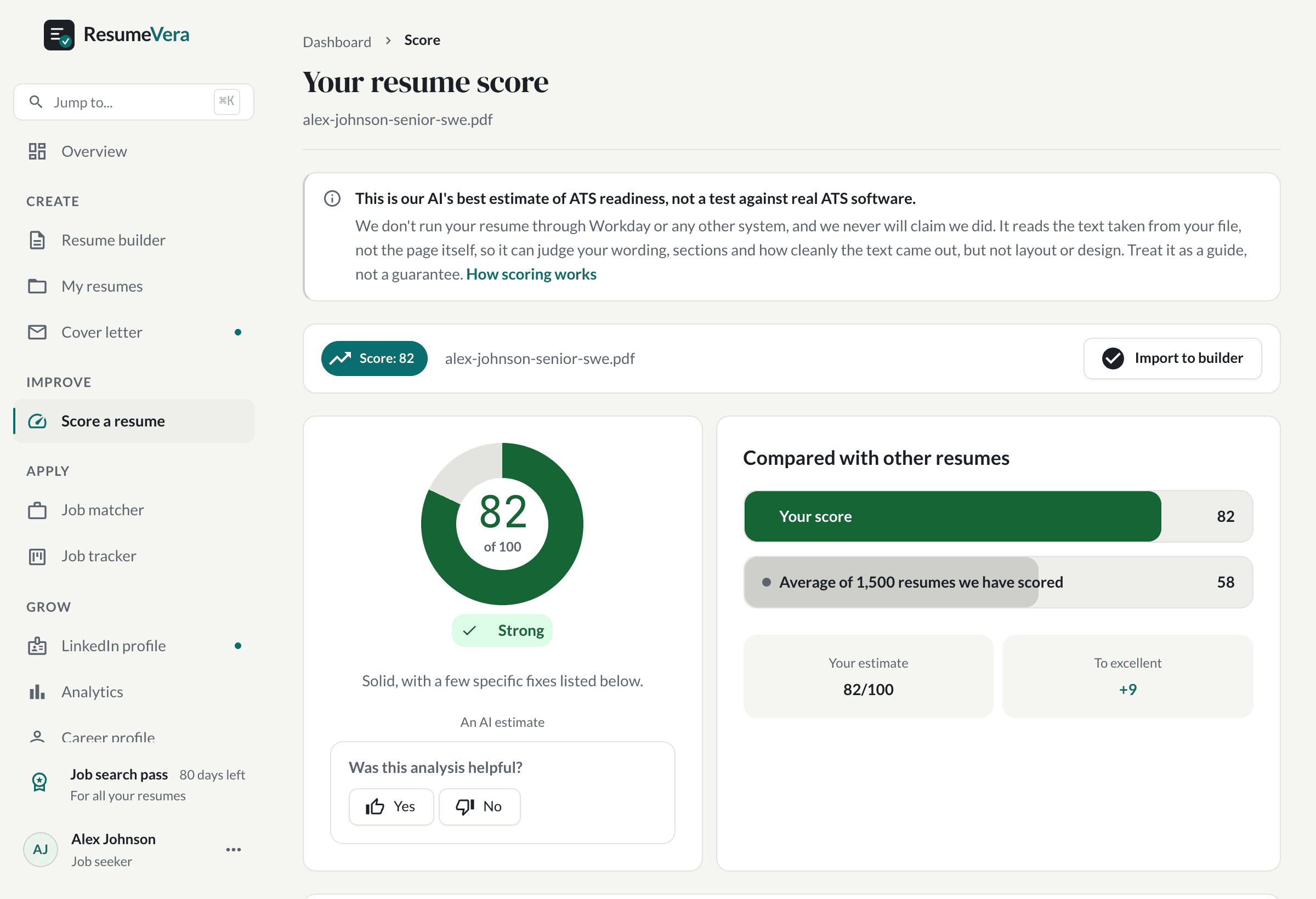
Upload your resume to ResumeVera's free ATS checker to see how your formatting, section order, and keywords score against real ATS parsing rules. Get instant feedback and fix issues before recruiters see them.
What to include in each section
Contact information
Keep it simple and professional. Include:
- Full name
- Phone number (one number, preferably mobile)
- Professional email address (avoid novelty emails)
- LinkedIn profile URL (customized, not the default random string)
- City and state (full street address is no longer expected)
- Portfolio or personal website (if relevant to the role)
Do not include: Date of birth, photograph, marital status, social security number, or nationality. These are not expected on US resumes and can create legal liability for employers.
Professional summary
A professional summary is a two to four sentence paragraph at the top of your resume that states who you are, what you bring, and what you are targeting. It replaces the outdated "objective statement" that focused on what you wanted rather than what you offer.
Weak objective: Seeking a challenging position in marketing where I can grow my skills.
Strong summary: Digital marketing specialist with 6 years of experience in B2B SaaS, specializing in paid acquisition, lifecycle marketing, and conversion rate optimization. Managed $1.2M annual ad budget across Google Ads and Meta, consistently delivering 20-30% ROAS improvements. Seeking a senior marketing role at a growth-stage technology company.
The summary should include your job title or target title, years of experience, specialization, one to two measurable achievements, and the type of role you are targeting. This section is prime real estate for ATS keywords.
Work experience
Work experience is the most important section on a US resume. For each role, include:
- Job title (use the official title or a close market equivalent)
- Company name
- Location (city, state)
- Employment dates (month and year for both start and end)
- 3-6 bullet points describing achievements and responsibilities
The 2026 trend, confirmed across multiple recruiter surveys including Monster's 2026 resume trends report, is a shift from task-based to impact-based bullet points. Recruiters want to see what changed because you were there.
Task-based bullet: Responsible for managing social media accounts.
Impact-based bullet: Managed company social media accounts across LinkedIn, Instagram, and X, growing organic reach by 45% and generating 120 qualified leads per quarter through content strategy and paid amplification.
Use the CAR method (Challenge, Action, Result) or the XYZ formula (Accomplished X by doing Y, resulting in Z) to structure strong bullets. Quantify results whenever possible: percentages, dollar amounts, time saved, team sizes, and volume metrics all add credibility.
Skills section
The skills section is where ATS keyword matching happens most directly. Format it as a simple, scannable list organized by category.
Example for a project manager:
- Project Management: Agile, Scrum, Waterfall, stakeholder management, risk assessment, resource planning
- Tools: Jira, Asana, Monday.com, Confluence, Microsoft Project, Smartsheet
- Technical: SQL, Tableau, Excel (advanced), Google Analytics
- Certifications: PMP, Certified ScrumMaster (CSM)
Include both hard skills and technical tools. Soft skills like "team player" or "detail-oriented" add little value here because they cannot be verified by an ATS and are better demonstrated through your work experience bullets.
Education
For each degree, include:
- Degree name (e.g., Bachelor of Science in Computer Science)
- Institution name
- Graduation year (or expected graduation year)
- GPA (only if you are a recent graduate and it is 3.5 or above)
- Relevant coursework, honors, or thesis (only if you are a recent graduate)
Once you have five or more years of work experience, your education section should be brief. Employers care more about what you have done professionally than what courses you took.
Formatting mistakes that get resumes rejected
Even a well-written resume can fail if the format creates parsing problems or frustrates the reader. These are the most common formatting mistakes in US job applications.
1. Using tables or text boxes for layout
Tables create clean visual layouts on screen, but ATS systems often read table cells in an unexpected order, scrambling your content. Text boxes are frequently ignored entirely. Use standard paragraphs, bullet lists, and section headings instead.
2. Using graphics, icons, or progress bars for skills
Skill bars (showing "Python: 80%") and star ratings are not parsed by ATS. They also communicate nothing meaningful to recruiters. What does 80% Python proficiency mean? List your skills as text.
3. Missing or inconsistent dates
Omitting employment dates is one of the fastest ways to get your resume flagged. Recruiters interpret missing dates as an attempt to hide gaps or job hopping. Always include month and year for start and end dates.
4. Using multiple fonts or excessive formatting
Stick to one font family. Bold and italic are fine for emphasis, but avoid underlining (which can be confused with hyperlinks), all-caps body text, and mixing decorative fonts. Simplicity signals professionalism.
5. Cramming too much onto one page
Shrinking margins below 0.5 inches, dropping font size below 10 points, and eliminating white space to force content onto one page makes the resume harder to read and can cause printing issues. If your content genuinely warrants two pages, use two pages.
6. Including a photo or personal details
In the US, resumes should not include a headshot, date of birth, gender, or marital status. Many companies explicitly discard resumes with photos to avoid bias claims. This is different from some European and Asian markets where photos are standard.
7. Saving as an incompatible file format
Submitting your resume as a .pages file, a Google Docs link, or an image will almost certainly result in a failed parse. Use .docx or .pdf.
How ATS systems actually parse your resume
Understanding how ATS systems work helps you format your resume correctly. Here is a simplified version of the process, based on how major platforms like Workday, Greenhouse, Lever, and iCIMS operate.
- File conversion: The ATS converts your uploaded file into a parseable text format. PDF, .docx, and .txt files convert most reliably.
- Section identification: The parser looks for standard section headers (Work Experience, Education, Skills) to categorize content.
- Data extraction: The system extracts your name, contact information, job titles, company names, dates, degrees, and skills.
- Keyword matching: Your resume is compared against the job description. Relevant keywords, skills, titles, and qualifications are scored.
- Ranking: Candidates are ranked by relevance. Recruiters typically review the top-ranked applicants first.
This process explains why format matters so much. If the parser cannot identify your section headers, it may dump all your content into a single unstructured field. If it cannot read your dates, it cannot calculate your years of experience. If your keywords appear in a graphic or table that gets skipped, they never reach the matching algorithm.
According to Jobscan's 2026 ATS format checklist, the single most important ATS formatting rule is to use a clean, single-column layout with standard headings and plain-text content.
Resume format by career stage
Your career stage should influence your format choices. Here is a breakdown.
Entry-level and recent graduates (0-2 years experience)
- Format: Reverse-chronological
- Length: One page
- Education placement: Above work experience
- Include: Internships, relevant coursework, academic projects, volunteer work, certifications
- Summary: Use an objective or brief summary that states your degree, relevant skills, and target role
Mid-career professionals (3-10 years experience)
- Format: Reverse-chronological or combination
- Length: One to two pages
- Education placement: Below work experience
- Include: Quantified achievements, progression in responsibility, skills that match target roles
- Summary: Highlight specialization, key achievements, and what you bring to the next role
Senior professionals and executives (10+ years experience)
- Format: Reverse-chronological
- Length: Two pages
- Education placement: End of resume
- Include: Leadership scope, business impact, team sizes managed, budget responsibility, strategic initiatives
- Summary: Lead with executive-level positioning: industry, scope, signature achievements
- Note: Older roles (15+ years ago) can be condensed to title, company, and dates without bullets
Career changers
- Format: Combination (hybrid)
- Length: One to two pages
- Lead with: A skills section that highlights transferable competencies relevant to the target role
- Include: Relevant projects, certifications in the new field, reframed bullet points showing transferable impact
- Avoid: The purely functional format, which hides your timeline and raises suspicion
Formatting for specific US industries
While the reverse-chronological format is the default across industries, some sectors have specific expectations.
Technology
Tech resumes benefit from a dedicated technical skills section near the top, listing programming languages, frameworks, cloud platforms, and tools. GitHub profiles or portfolio links are expected for engineering roles. Keep the design clean and simple; flashy formats do not impress tech recruiters.
Finance and accounting
Conservative formatting is expected. Use a traditional font like Times New Roman or Garamond. Quantify everything: revenue, portfolio size, clients served, cost savings. CPA, CFA, and other professional designations should appear prominently after your name and in a certifications section.
Healthcare
Clinical roles often require a more detailed education and certifications section, including license numbers and expiration dates. Include clinical rotations, residencies, and relevant compliance training (HIPAA, BLS, ACLS). State licensing information is critical for US healthcare positions.
Creative and marketing
A portfolio link is more important than resume design. While some creative roles accept more visually designed resumes, the actual application document should still be ATS-friendly. Save the design showcase for your portfolio website. Quantify marketing results: ROAS, conversion rates, traffic growth, lead generation metrics.
Federal government
US federal resumes follow their own rules. Since 27 September 2025, the Office of Personnel Management limits federal resumes to two pages: USAJOBS will not accept or build a longer one, and an applicant whose only resume runs longer is ineligible. Each job still needs the details a private-sector resume leaves out: the start and end month and year, hours worked per week, and, for federal roles, the series and grade. Write to the qualifications in the announcement, and see our guide to the two-page rule.
The 2026 resume format checklist
Before you submit your next application, run through this checklist to make sure your resume format meets current US standards.
- Format: Reverse-chronological (or combination if career changing)
- Length: One page for under 5 years of experience, one to two pages for 5+ years
- Layout: Single-column, no tables, no text boxes, no graphics
- Font: Calibri, Arial, Garamond, Georgia, Helvetica, or Times New Roman
- Font size: 10-12pt body, 12-14pt headings, 14-18pt name
- Margins: 0.5 to 1.0 inches on all sides
- File format: .docx (preferred) or .pdf
- Section headers: Standard labels (Work Experience, Education, Skills)
- Dates: Month and year for all positions
- Bullet points: Impact-focused with quantified results
- No personal info: No photo, no date of birth, no marital status
- Contact info: Name, phone, email, LinkedIn, city/state only
- Keywords: Tailored to each job description
- Proofread: Zero typos, consistent formatting throughout
You can verify most of these items automatically using a free resume analyzer that checks ATS compatibility, keyword density, and formatting issues.
Common questions about resume formats by industry
Job seekers frequently ask whether their specific situation requires a different format. Here are direct answers for the most common scenarios.
Should I use a different format if I have employment gaps?
No. Use the reverse-chronological format and address gaps directly. You can add a brief note in the relevant time period (e.g., "Career break for family caregiving" or "Full-time graduate studies"). Switching to a functional format to hide gaps almost always backfires because recruiters know exactly why candidates use that format.
Should military veterans use a special format?
Veterans should use the standard reverse-chronological format but translate military titles, acronyms, and responsibilities into civilian language. "Platoon Sergeant" becomes "Operations Team Leader supervising 40 personnel." Military-to-civilian translation is about content, not format.
Do I need a different format for remote jobs?
No. The format is the same. However, note your remote work experience in each role where applicable (e.g., "Remote" instead of a city/state location). If the job posting is for a remote position, mention your remote work experience and collaboration tools in your summary or skills section.
What about resumes for startups vs. large corporations?
The format stays the same. The content emphasis shifts. Startups value versatility, ownership, and impact relative to company size. Large corporations value process expertise, cross-functional collaboration, and scale. But both use ATS systems and both expect reverse-chronological formatting.
Real-world formatting example
Here is how a properly formatted work experience section looks for a mid-career marketing professional:
Senior Digital Marketing Manager
TechFlow Inc. | San Francisco, CA | March 2023 - Present
- Managed $1.4M annual digital advertising budget across Google Ads, Meta, and LinkedIn, achieving 28% year-over-year ROAS improvement
- Led team of 4 marketing specialists and 2 contractors, implementing weekly sprint-based workflow that improved campaign launch speed by 35%
- Designed and executed ABM strategy targeting enterprise accounts, generating $3.2M in qualified pipeline within first two quarters
- Built marketing attribution model in HubSpot and Tableau, enabling accurate CAC and LTV reporting for executive leadership
- Reduced customer acquisition cost by 22% through landing page A/B testing program and conversion rate optimization
Notice what this example includes: specific numbers, a clear scope of responsibility, tools used in context, business outcomes tied to actions, and a format that any ATS can parse without difficulty.
How AI is changing resume screening in 2026
The resume screening landscape has shifted significantly. According to a 2026 industry analysis, 93% of recruiters plan to increase their use of AI in the hiring process. This does not change the fundamental advice about resume format, but it adds nuance.
Modern AI screening tools go beyond simple keyword matching. They evaluate:
- Semantic relevance: Whether your experience genuinely matches the role, not just whether you used the right words
- Career trajectory: Whether your progression makes sense for the target level
- Impact evidence: Whether your bullets contain quantified results or just descriptions of tasks
- Contextual fit: Whether your industry, tools, and business context align with the employer's environment
At the same time, 53% of hiring managers now consider AI-generated resume content a significant red flag, according to multiple 2025-2026 recruiter surveys. This means your resume should read as authentically human, with specific details and genuine achievements that a generic AI generator would not produce.
The takeaway: clean formatting matters more than ever because it ensures AI tools can read your resume accurately. But the content must be specific, honest, and genuinely reflective of your experience.
Free tools to check your resume format
Before you submit an application, validate your resume format using free tools:
- ResumeVera ATS Resume Checker - Parses your resume and checks ATS compatibility, section order, keyword alignment, and formatting issues
- ResumeVera Resume Builder - Build a properly formatted resume from scratch using ATS-tested templates
- Free Resume Templates - Download professionally designed, ATS-friendly resume templates that follow all the formatting rules covered in this guide
Get a properly formatted resume in minutes
Use ResumeVera's free resume templates to start with a format that is already optimized for ATS systems and US recruiter expectations. Every template follows the section order, typography, and layout rules covered in this guide.
The bottom line
The best resume format for US jobs in 2026 is the reverse-chronological format with a clean, single-column layout, standard section headings, and ATS-safe typography. It is the format recruiters expect, the format ATS systems parse most reliably, and the format that shows your career progression clearly.
Use the combination format only if you are changing careers and need to lead with transferable skills. Avoid the purely functional format unless you have an exceptional reason, because it raises more questions than it answers.
Format your resume for one to two pages, use standard fonts at readable sizes, save as .docx or .pdf, and leave out photos, personal details, and decorative elements. Focus your content on quantified achievements, not task lists. Tailor your keywords to each job description.
The format is the container. What matters is what is inside. But the wrong container ensures that no one ever sees what is inside. Get the format right, then focus on the content.
Frequently Asked Questions
What is the best resume format for US jobs in 2026?
The reverse-chronological resume format is the best format for US jobs in 2026. It lists your most recent work experience first and is preferred by the majority of US recruiters and applicant tracking systems. It clearly shows career progression and parses accurately through all major ATS platforms.
Should I use a one-page or two-page resume?
Use one page if you have less than five years of experience. Use two pages if you have five or more years of relevant experience. A 2025 survey of over 1,000 HR professionals found that 82.1% say one to two pages is ideal, and 68.6% of recruiters now prefer two-page resumes for experienced candidates.
What font should I use on my resume?
Use a standard, ATS-friendly font such as Calibri, Arial, Garamond, Georgia, Helvetica, or Times New Roman. Set body text at 10-12 points, section headings at 12-14 points, and your name at 14-18 points. Avoid decorative, script, or custom fonts that ATS systems may not recognize.
Should I include a photo on my US resume?
No. US resumes should not include a photograph, date of birth, marital status, or nationality. Including personal details beyond contact information can create bias concerns, and many US companies will discard resumes with photos for compliance reasons. This is a key difference between US resumes and CVs used in some other countries.
What file format should I save my resume in?
Save your resume as a .docx file for maximum ATS compatibility. PDF is the second-best option and works with most modern systems, but some older ATS platforms struggle with certain PDF encodings. Never submit resumes as .jpg, .png, or .pages files.
Is the functional resume format good for career changers?
The purely functional format is not recommended, even for career changers. It removes employment dates and context, which raises red flags with recruiters and causes ATS parsing errors. Instead, use the combination (hybrid) format, which leads with a transferable skills section followed by a complete reverse-chronological work history.
What sections should my resume include and in what order?
The correct section order for most US resumes is: contact information, professional summary, work experience, skills, education, certifications, and optional sections like projects or volunteer work. Recent graduates with less than two years of experience may place education before work experience.
How do I make my resume ATS-friendly?
Use a single-column layout without tables, text boxes, or graphics. Use standard section headings like Work Experience, Education, and Skills. Choose ATS-safe fonts, include keywords from the job description, save as .docx or .pdf, and avoid placing content in document headers or footers. You can verify ATS compatibility using a free tool like the ResumeVera ATS checker.
Sources and further reading
- Resume Genius: 50+ Essential Resume Statistics for 2026
- Monster: Resume Trends 2026 - What's In, What's Out, and What Works
- Jobscan: Anatomy of an ATS-Friendly Resume Format (2026 Checklist)
- Resume Polished: The Best Resume Format for 2026 According to Recruiters
- Best Job Search Apps: Best Resume Format for 2026 - Reverse-Chronological for ATS and Recruiters