ATS resume optimization guide 2026: format, keywords & checklist
ATS Optimization · ResumeVera Editorial · May 5, 2026 · 12 min read

What is ATS, and why it matters for your job search
When you apply for a job online, your resume usually goes into an Applicant Tracking System (ATS). The ATS collects and parses every application, stores it, and lets recruiters search, sort and review candidates. A person still reads your resume; the ATS is where they find it.
In 2026, more applicants per posting and one-click applications on platforms like LinkedIn mean recruiters lean heavily on ATS search to find relevant candidates. ATS is no longer a big-company luxury: organizations of all sizes use it to manage the volume.
The good news? Once you understand how ATS actually works, preparing for it is straightforward. This guide covers how parsing works, platform-specific tips, keyword strategy, AI-powered self-checks, and the biggest myths that waste your time.
Free tool: Use our free ATS resume checker to see how well your resume matches any job description before you apply.
How ATS actually works in 2026
Step 1: parsing your resume
When you submit your resume, the ATS first parses it, extracting text and sorting it into fields like contact info, work experience, education, and skills. This is where formatting errors cause the most damage. If your resume uses tables, multi-column layouts, or stores data in headers/footers, the parser can misread or drop entire sections.
Modern ATS platforms use a combination of rule-based parsing and machine learning. Here's what the major platforms struggle with:
- Greenhouse: Headers, tables, graphics, incomplete job titles, large files
- Workday: Multiple columns, graphics, non-standard heading text
- iCIMS: Images, graphics, symbols, atypical fonts
- Lever: Acronyms, tables, and graphics
- SAP SuccessFactors: Scanned PDFs (image-based files)
- Oracle Taleo: Double and triple column layouts
If you know which ATS a company uses (often visible in job portal URLs or mentioned on Glassdoor), you can tailor your formatting accordingly.
Step 2: search, how recruiters find you
Once parsed, your resume sits in the employer's database. Recruiters search it by keyword and filter by the fields the parser filled in, and some systems also show how closely a profile matches the posting. What recruiters typically search or filter on:
- Presence of required skills and keywords
- Job title alignment
- Years of experience in relevant roles
- Education level and field
- Location (for non-remote roles)
Some modern systems use Natural Language Processing (NLP) to recognize related terms and skills from context. Others rely on exact keyword matching, so it's safest to use the job's own wording for the skills you really have.
Step 3: screening questions
Many application forms include knockout questions: short yes/no questions the employer sets about baseline requirements. Examples:
- "Are you legally authorized to work in the US?"
- "Do you have a valid PMP certification?"
- "Are you willing to work on-site in Chicago?"
If you don't meet these, no amount of resume optimization will change the answer. Always read the full job description before applying.
7 ATS optimization strategies that actually work in 2026
1. Use reverse-chronological format
The reverse-chronological resume format is the gold standard for ATS. It puts your most recent and relevant experience first, exactly what the recruiter wants to see, and parsers read it reliably. Functional resumes (skills-first, work history buried) parse poorly because they don't anchor skills to specific time periods or employers.
Use a single-column layout with clear visual hierarchy: name at top, then summary, skills, experience, education. This structure is universally understood by every major ATS platform.
2. Nail your section headings
ATS looks for specific labels to categorize your content. If you use creative headings, it may misclassify or skip your information entirely. Use these standard headings, and nothing else:
- Work Experience or Professional Experience
- Education
- Skills or Core Competencies
- Summary or Professional Summary
- Certifications
- "My Story," "Where I've Been," "Expertise Hub," "Career Highlights"
3. Master keyword strategy: quality over quantity
One of the most persistent myths about ATS is that stuffing your resume with keywords helps. It doesn't, and it makes your resume unreadable to the person who reads it. Here's how to handle keywords correctly:
Step 1: Mine the job description. Read it carefully and note every skill, tool, certification, and qualification listed, especially under "Required" sections.
Step 2: Match at the phrase level. Use the exact phrasing from the job description where it accurately reflects your experience. If the posting says "project management," don't just write "managed projects."
Step 3: Place keywords in context. Include keywords in your summary, work experience bullets, and skills section. Skills that appear inside dated job entries show a recruiter where and when you used them, which a standalone skills list can't.
Step 4: Include both acronyms and full terms. Write "Search Engine Optimization (SEO)" so a recruiter's search finds you either way. This is especially important for certifications like "Project Management Professional (PMP)" or "Certified Public Accountant (CPA)."
Step 5: Don't over-repeat. Mentioning a key skill 2–3 times across your resume is usually plenty. More than that looks unnatural to human reviewers.
4. Format for parsability
Even the best content gets lost in a poorly formatted resume. Here are the specific formatting rules that protect your application from being garbled:
- No tables or text boxes: ATS often reads these left-to-right instead of top-to-bottom, scrambling your content
- No headers or footers: Contact information placed in Word headers/footers can be missed by some parsers
- No multi-column layouts: Even if they look clean, they cause parsing errors in Workday, Oracle, and others
- No images, logos, or graphics: These either get converted to garbled characters or trigger a "corrupt file" flag
- Standard fonts only: Arial, Calibri, Georgia, Lato, or Times New Roman at 10–12pt body text
- Simple bullet points: Solid circles (•) or squares (▪); avoid decorative symbols
- 1-inch margins: Anything narrower looks cluttered; anything wider wastes space
5. Choose the right file format
The file format debate has evolved. Modern ATS can generally read both PDF and .docx well, as long as the PDF is text-based. However:
- Use .docx if the job posting doesn't specify a format, since it's universally safe across old and new ATS
- Use PDF if the employer specifies it, or if you want to preserve precise visual formatting for human review
- Never submit an image-based PDF (scanned documents): these are completely unparseable
- Never submit .pages, .odt, or .rtf unless explicitly asked
6. Write a keyword-rich professional summary
Your professional summary is the first thing a recruiter reads after your name, and a natural place for the job's key terms. A strong 3–4 sentence summary should:
- Open with your job title (matching the role you're applying for)
- Include your years of experience and key domain
- Mention 2–3 hard skills pulled directly from the job description
- Close with a measurable achievement or specific value proposition
Example (for a Data Analyst role):
"Data Analyst with 5+ years of experience in business intelligence and reporting for e-commerce environments. Proficient in SQL, Python, and Tableau; experienced building dashboards that reduced reporting time by 40%. Skilled in A/B testing, cohort analysis, and cross-functional collaboration with product and engineering teams."
7. Include a tailored skills section
A dedicated Skills or Core Competencies section lets recruiters, and their ATS searches, find your technical capabilities quickly. Best practices:
- List both hard skills (tools, languages, platforms) and soft skills (leadership, communication)
- Mirror the exact language from the job description for hard skills
- Keep it scannable: 8 to 16 skills maximum, using short bullet points or a simple comma-separated list
- Update this section for every application, prioritizing skills from the specific job posting
4 ATS myths that are hurting your job search
Myth #1: "I need a 100% ATS score to get noticed"
Reality: No such threshold exists. Recruiters search and review candidates; they don't wait for a perfect score. Where a system does show a match score, it varies by vendor and is only a rough guide. A well-tailored resume that honestly uses the job's wording does more for you than one stuffed with keywords to chase a number. Services that demand "perfect scores" are selling anxiety, not results.
Myth #2: "Put keywords in white text to trick the ATS"
Reality: Hidden text shows up as soon as a parser extracts your resume or a recruiter views the plain-text version, and it looks like an attempt to game the process. Focus on genuine keyword alignment instead.
Myth #3: "AI is reading my resume and rejecting me automatically"
Reality: The AI inside most ATS functions as a data extraction librarian, not a human judge. It tags your experience with structured labels so recruiters can search and sort applicants. A human almost always makes the screening call.
Myth #4: "Two-column resumes always get rejected"
Reality: A two-column file isn't rejected, but some parsers read the columns in the wrong order and scramble your history. Greenhouse and Lever handle two-column layouts better than older systems like Oracle Taleo. That said, single-column reads reliably everywhere. If you don't know which ATS a company uses, default to single-column.
How to test your resume for ATS compatibility
The plain text test
Copy the full text of your resume and paste it into a plain text editor (Notepad on Windows, TextEdit on Mac). If:
- Your sections appear out of order → you have a multi-column or table formatting issue
- Some content is missing → it was in a text box, header, or footer
- Special characters are garbled → your font or bullet symbols aren't ATS-safe
A resume that looks clean in plain text is one an ATS can parse correctly.
The AI self-check (ChatGPT / Gemini)
Paste your resume and the job description into ChatGPT or Gemini and ask: "Compare this resume with this job description. List the skills and terms from the posting that are missing or worded differently, and suggest specific improvements." This is free and fast, and useful for spotting gaps before you apply.
Use a dedicated ATS checker
A purpose-built ATS resume checker reviews keyword match, formatting issues, and section completeness against a specific job description in one pass. Our free ATS resume checker does this: upload your resume, paste the job description, and get an AI estimate of your match with specific recommendations.
ATS-optimized resume template structure (2026)
Here is the exact structure that works across all major ATS platforms:
[Full Name]
[City, State] | [Phone] | [Email] | [LinkedIn URL]

PROFESSIONAL SUMMARY
3–4 lines. Job title + years of experience + 2–3 key skills + one achievement.

CORE COMPETENCIES / SKILLS
Skill 1 • Skill 2 • Skill 3 • Skill 4 • Skill 5 • Skill 6

PROFESSIONAL EXPERIENCE

Company Name | Job Title                                    MM/YYYY – MM/YYYY
• Achievement-focused bullet with numbers (e.g., "Reduced churn by 18%")
• Keyword-rich bullet mirroring the job description
• Quantified impact wherever possible

[Repeat for each role, most recent first]

EDUCATION
Degree, Major | University Name | Year

CERTIFICATIONS (if applicable)
Certification Name (Acronym) | Issuing Body | Year
Bonus: optimizing your cover letter for ATS
Many job seekers don't realize that cover letters are also processed by ATS in many systems. Apply the same keyword discipline to your cover letter:
- Include the exact job title in the opening paragraph
- Mirror 3–4 key requirements from the job description naturally in your first two paragraphs
- Use the same clean, simple formatting, with no fancy headers and no tables
- Submit as .docx or PDF, matching whatever format you used for your resume
A cover letter that uses the job's wording helps a recruiter see the fit quickly and gives you an edge over candidates who skip it.
2026 ATS checklist: before you hit submit
- ☑ Single-column layout with clear visual hierarchy
- ☑ Standard section headings (Work Experience, Education, Skills, Summary)
- ☑ Contact info in the body, not in header or footer
- ☑ No tables, text boxes, or graphics
- ☑ Standard font (Arial, Calibri, Georgia) at 10–12pt
- ☑ Keywords from job description included in summary, experience, and skills
- ☑ Both acronyms and full terms for all certifications and tools
- ☑ File saved as .docx or text-based PDF
- ☑ Plain text test passed
- ☑ Match against the job description checked with a dedicated tool
Ready to check your resume? Run it through our free ATS resume checker, no sign-up needed. See which keywords from any job description you're missing.
Key takeaways
- Recruiters find candidates by searching their ATS, so a resume that parses cleanly and uses the job's wording is easier to find and recognize
- ATS parses your resume first; formatting errors can scramble or drop content before a recruiter ever searches for it
- Use reverse-chronological format, standard section headings, and single-column layout for maximum parsability across all major ATS platforms
- Focus on quality keyword alignment, not quantity: include exact phrases from the job description naturally in your summary, experience bullets, and skills section
- Modern ATS use NLP to infer skills from context, but older enterprise systems still rely on exact matching, so cover both
- Test your resume with the plain text method and an ATS checker tool before every application
- ATS AI doesn't reject you. People make the decisions, after searching and reviewing candidates in the ATS
Written and checked by ResumeVera Editorial. How we research and review
Questions
Frequently asked questions
Get free ATS tips every week
Actionable resume and ATS tips, when we publish them. No spam. Unsubscribe any time.
Related Articles

Shadow ATS Keywords: The Hidden Resume Terms Recruiters Search But Candidates Miss
A deep analysis of secondary and contextual resume keywords recruiters search for but candidates often miss, including title variants, adjacent tools, domain language, workflow terms, outcome metrics, and proof phrases that improve ATS and AI screening visibility.
Read More

The AI-Proof Resume: How to Write a Resume That Survives AI Screening in 2026
Most resumes are still written for old ATS keyword matching. In 2026, the stronger strategy is to build one resume that parses cleanly, ranks well in AI screening, convinces recruiters in a 30-second scan, and remains verifiable when hiring agents compare your resume against your public career footprint.
Read More
Try it
Check this against your own resume
The post above is general. Your file is not. The checker reads it the way a parser would and tells you which of these points it actually breaks.
Check your resume free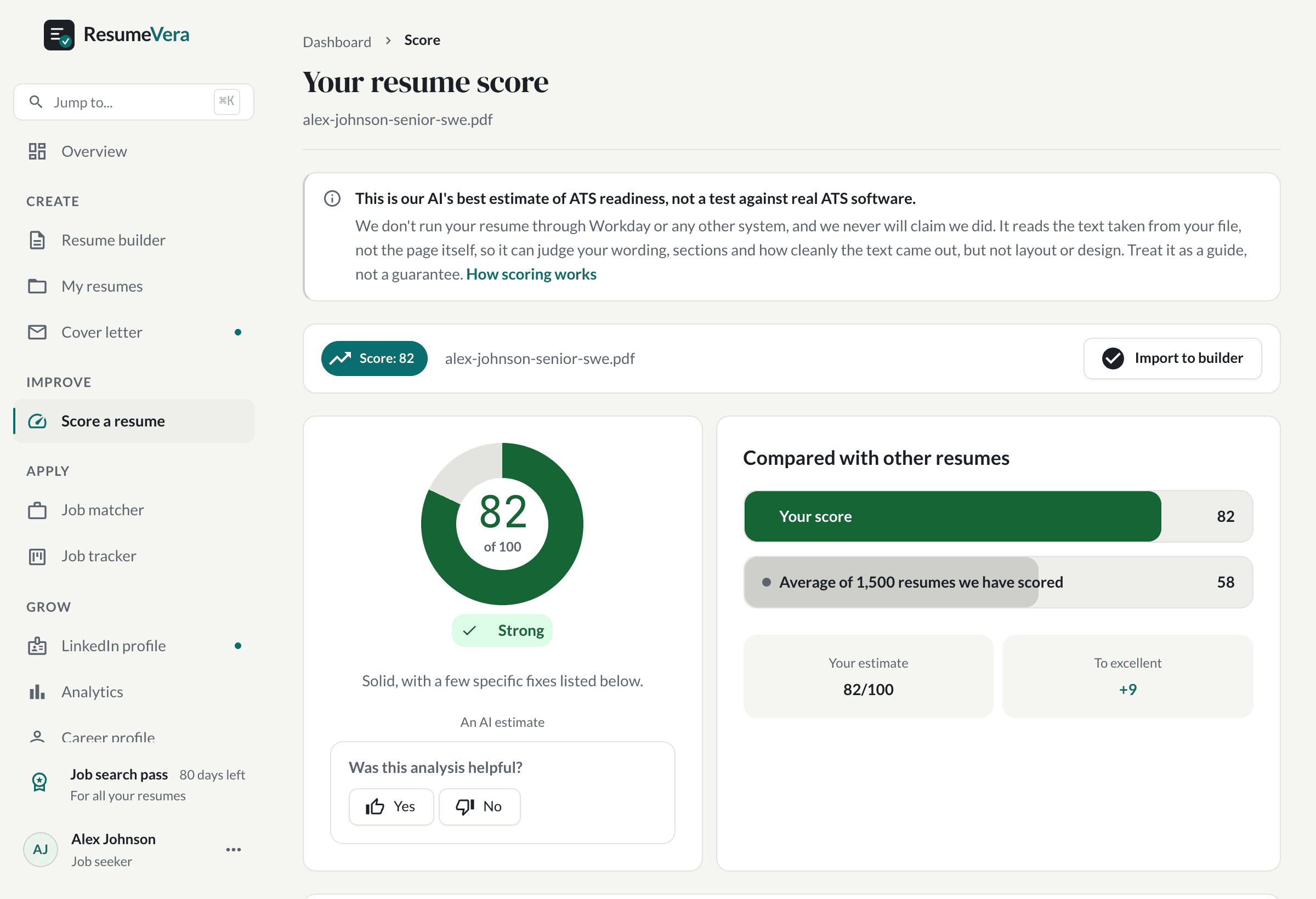
The real score page, with a sample resume and sample scores.
Now check it against your own resume
An honest resume score in seconds. No account, no card.